
Phishing Left the Inbox: QR Codes, Adversary-in-the-Middle Kits, and the ASCII Trick
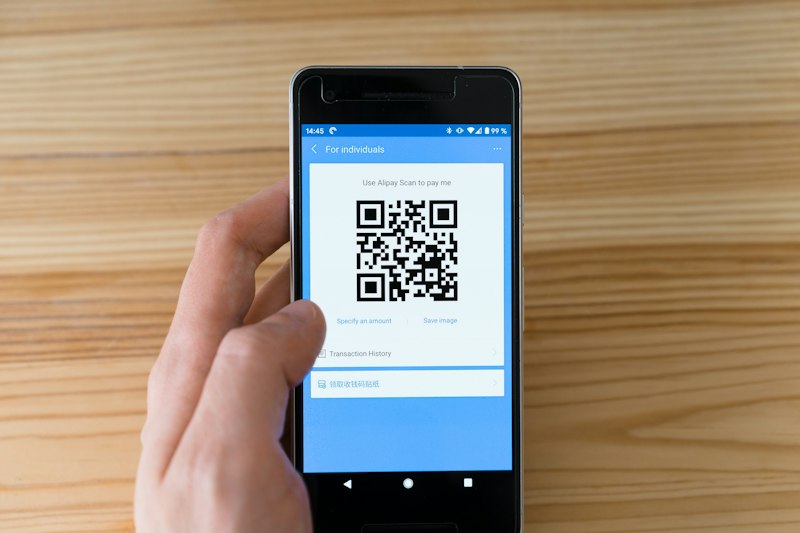
QR code phishing rose 146% in the first quarter of 2026, and the reason is structural: a QR code hands the attack to a phone, where the mail gateway, the proxy, and the endpoint agent all stop watching. Now an eighth of them are not images at all.
For twenty years, phishing defense has been built around a single contested surface: the inbox. Gateways scan links, proxies inspect destinations, and endpoint agents watch what happens after the click. QR code phishing — quishing — works because it deliberately steps around every one of those controls, moving the victim from a monitored corporate laptop to an unmonitored personal phone with a single photograph.
The scale is no longer anecdotal. Microsoft's threat intelligence counted 8.3 billion phishing threats in the first quarter of 2026 alone, and QR-delivered attacks rose from 7.6 million in January to 18.7 million in March — a 146% increase in three months. Keepnet's measurement puts QR codes in roughly one in eight phishing attacks during 2025, or about 12%, which makes this the fastest-growing delivery channel rather than a curiosity.
Why the Phone Is a Blind Spot
The mechanics are unremarkable, which is precisely why they work. A message arrives containing an image, or a link wrapped in enough obfuscation that a filter cannot resolve it. The user scans the code, and the entire authentication journey continues on a device with no corporate proxy, no endpoint detection, and often no management profile at all. Mobile browsers truncate the address bar, so inspecting the destination is awkward to the point of being impractical. Delivery has been optimised too: Microsoft's breakdown of Q1 2026 quishing attachments found about 70% carried as PDF, 24% as DOC or DOCX, and only 5% embedded directly in the message body — document formats that pass through gateways as ordinary business attachments and render the code as a picture inside a page the scanner treats as inert.
The Codes That Aren't Images
The adaptation that should worry defenders most is cheap and slightly clever: attackers now render the QR code as ASCII or Unicode characters rather than a bitmap, so the message body reads as text to a scanner that only looks for images. To a human it looks like a block of monospace text; to a phone camera it resolves normally. To a mail gateway performing image analysis, there is no image to analyse. The control that seemed obvious — extract every picture, look for a QR pattern, decode it — silently returns nothing.
The fix is not exotic, but it is a change of assumption. Detection has to treat the message body as content to be decoded rather than images as objects to be inspected: run optical character recognition over rendered HTML, look for the characteristic block-density of a text-rendered code, and flag messages whose character-level entropy resembles a payload. Most importantly, stop treating the absence of a detected QR code as evidence of safety, because the attackers have already learned that trick.
Quishing Is Only Half the Attack
What makes the 2026 variant dangerous is how well it pairs with adversary-in-the-middle phishing kits. Rather than hosting a crude clone, the kit operates as a reverse proxy between the victim and the genuine login page, relaying everything in real time and capturing the authenticated session cookie on the way through. That defeats ordinary multi-factor authentication decisively: the victim completes a real MFA challenge, against a real service, and the attacker walks away with an already-authenticated session.
The kit economy around this is now a market of its own. Microsoft recorded 11.9 million CAPTCHA-gated phishing attempts in March 2026, up 125%, as operators wrapped their proxies in bot checks to keep sandboxes out — an anti-analysis measure that doubles as a convincing user experience. And the takedown data is a lesson in displacement rather than victory: after law enforcement action against Tycoon2FA, that kit's share of the market fell from more than 75% to 41%, and the remainder did not disappear. It moved to other platforms. Removing one dominant tool changed the brand name on the invoice, not the number of attacks.
Controls That Survive a Stolen Session
- Phishing-resistant authentication: Passkeys and hardware security keys bind the credential to the origin, so a reverse proxy cannot harvest anything reusable. This is the only control that closes the session-theft path outright.
- Device-bound and conditional access: Requiring a compliant, managed device for sensitive resources means a personal phone cannot complete the journey even if the user scans the code.
- Decode at the gateway, including text: Extract and resolve QR payloads before delivery, and render the body so ASCII codes are seen as codes. Image-only detection is already obsolete.
- Break the phone handoff: Suppress QR content in external mail to unmanaged devices, enforce external-sender banners, and consider blocking coded documents from unknown senders entirely.
- Revoke sessions, not just passwords: When a session token is stolen, a password reset alone leaves the attacker inside. Kill active sessions and refresh tokens as the first response action.
What to Tell People, and What to Measure
The durable behavioral rule is narrow enough to be remembered: never scan a QR code from a message you did not request, and navigate to the service yourself instead. That complements rather than replaces the technical controls, because the lesson of the 2026 phishing landscape is that detection can no longer be the foundation. Track time from first report to session revocation, measure how quickly conditional access would have stopped a personal device from reaching sensitive data, and test your gateway against a text-rendered code before assuming it would catch one. The fix for quishing is not a better image filter. It is making a stolen session worthless.